PM2 Deploy (NuxtPro Admin)
Step 1: Build the .output bundle
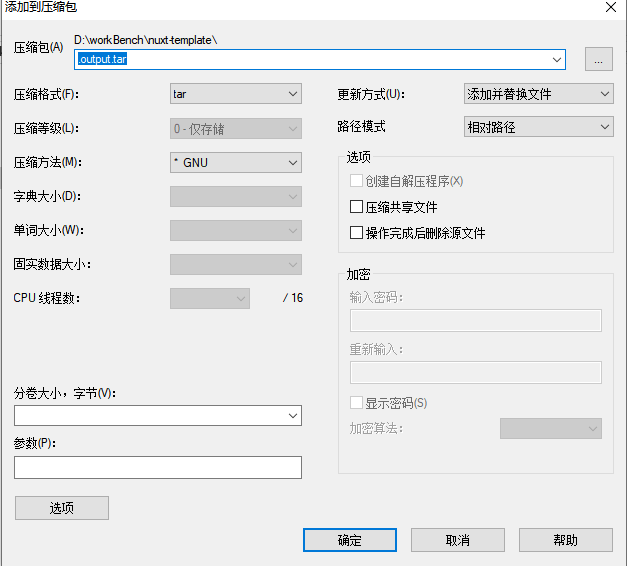
Run pnpm run build:prod, then package the .output bundle as output.tar and upload it to your server.
Step 2: Extract on the server
bash
tar -xvf output.tarStep 3: Install Node.js and PM2
bash
npm i -g pm2Step 4: Create ecosystem.config.cjs
bash
module.exports = {
  apps: [{
    name: 'nuxtpro-admin',
    script: '.output/server/index.mjs',
    exec_mode: 'cluster',
    env_production: {
	  PORT:3001,
      DATABASE_URL:'mysql://USER:PASSWORD@HOST:PORT/DB_NAME',
      JWT_SECRET:'REPLACE_WITH_JWT_SECRET',
      REDIS_URL:'redis://USER:PASSWORD@HOST:PORT/DB',
      BETTER_AUTH_SECRET:'REPLACE_WITH_BETTER_AUTH_SECRET',
      BETTER_AUTH_URL:'REPLACE_WITH_ADMIN_BASE_URL',
      NUXT_RESEND_API_KEY:'REPLACE_WITH_RESEND_API_KEY'
    }
  }]
};
Step 5: Create start.sh
bash
pm2 start ecosystem.config.cjs --env productionStep 6: Start
bash
sh start.shStep 7: Check PM2 status
bash
pm2 list
Step 8: View logs
bash
pm2 logs nuxtpro-adminIf logs show Listening on http://[::]:<PORT>, the deployment is successful.