Quick Start
Ready to dive into NuxtPro? This guide walks you through setting up a local dev environment and running your first NuxtPro project.
Prerequisites
Before you start, make sure you have the following installed:
- Node.js:
v18.20.4or later (latest LTS recommended) - npm:
10.7.0 - pnpm: recommended package manager for best dependency management
Check your versions:
node -v
npm -v
pnpm -v
If you don’t have pnpm yet, install it globally:
npm install -g pnpmClone the project
Clone the NuxtPro repository from GitHub. (If you don’t have access to a private repository, you may see a 404.)
git clone https://github.com/PennyJoly/NuxtPro.gitThen enter the project directory:
cd NuxtProInstall dependencies
From the project root, install dependencies with pnpm:
pnpm installThis may take a few minutes depending on your network. pnpm will download and link required packages efficiently.
Configure environment variables
The project relies on environment variables, especially for third-party services (database, payment gateways, etc.).
NuxtPro-Admin
- Find
.env.examplein the project root. - Copy it and rename to
.env. - Edit
.envand fill in values for your local environment / API keys.
NuxtPro-Client
- Find
.env.examplein the project root. - Copy it and rename to
.env.dev. - Edit
.env.devand fill in values for your local environment / API keys.
For details on each variable and how to obtain them, see Environment Variables.
Import the required MySQL schema
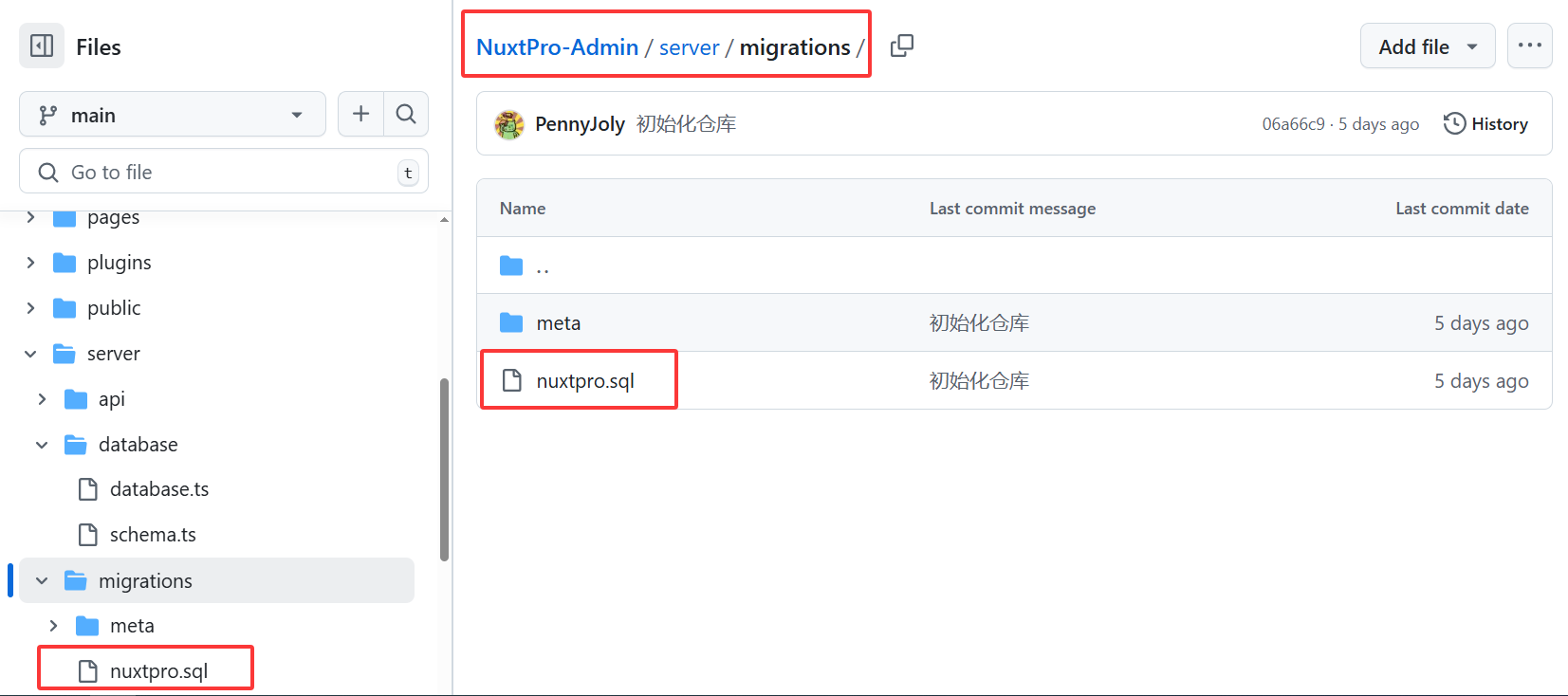
Go to NuxtPro-Admin/server/migrations/, locate nuxtpro.sql, and import it (e.g. via Navicat) to create the schema and seed sample data.
Start the dev server
Once everything is ready, run the Nuxt 3 dev server:
pnpm devThis starts a hot-reload development environment. You should see output like:
NuxtPro frontend
  ?  Local:   http://localhost:3000/
  ?  Network: use --host to expose
or
NuxtPro admin
  ?  Local:   http://localhost:3002/
  ?  Network: use --host to expose
Open your browser and visit http://localhost:3000. If everything is working, you’ll see the NuxtPro frontend.
Or visit http://localhost:3002 to open the NuxtPro admin app.
You’ve successfully run NuxtPro locally. Next, explore the codebase, add features, or continue with the Development Guide.